HR-tech · B2B SaaS
HRBOX — making a complex HR platform coherent
Different roles, different tasks, one product. My work on role-based navigation, admin workflows and the design system behind them.
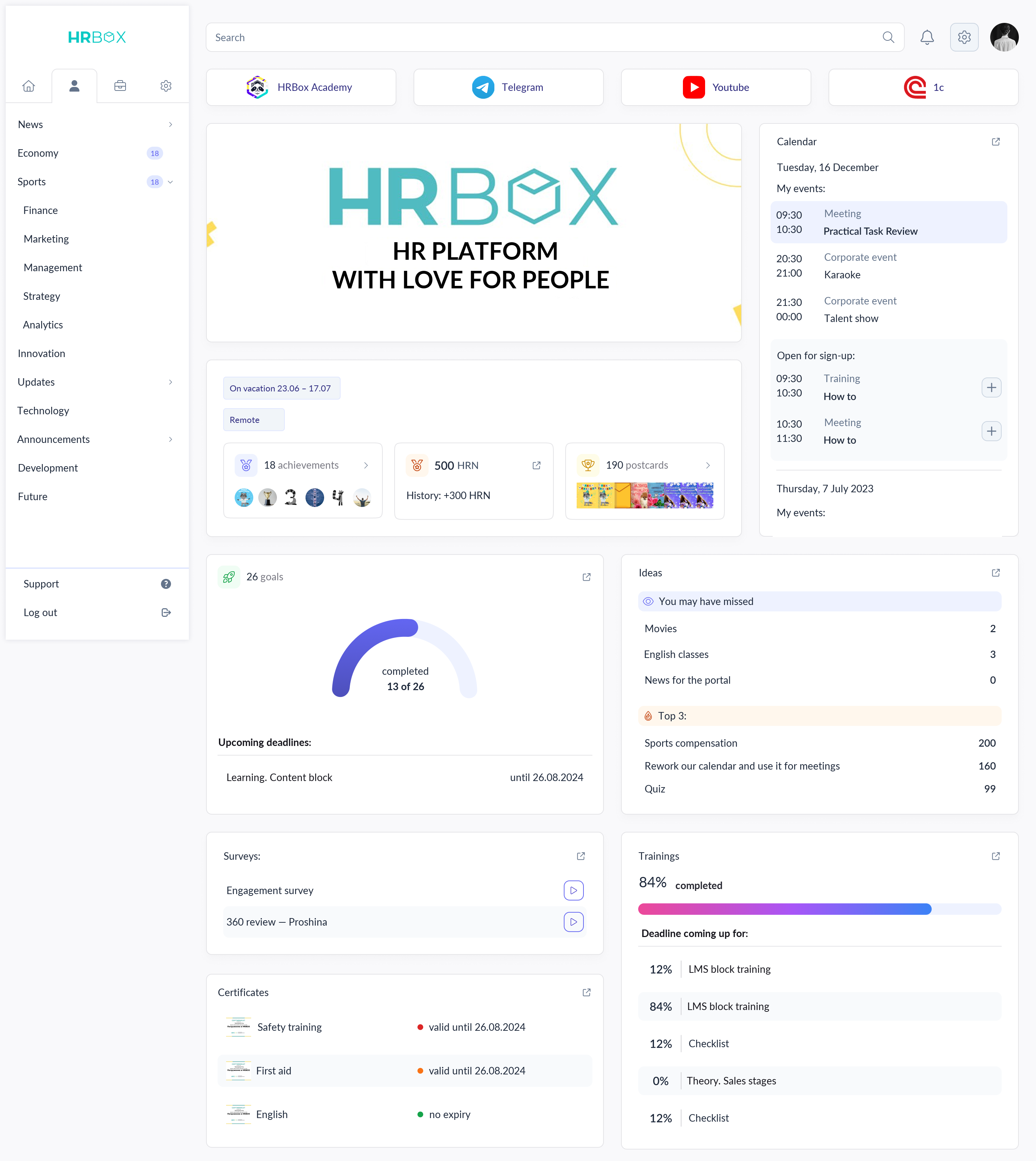
Different roles, different tasks, one product. My work on role-based navigation, admin workflows and the design system behind them.
The product was growing fast — new modules, new roles, new scenarios. But there was no unified system: every section looked different, navigation kept getting more complex, and developers wasted time reinventing components.
Interviews and a product audit: employees need everyday actions close at hand, administrators need a map of deep settings. This shaped the role-based architecture.
Information architecture, navigation models, user flows for key scenarios.
Design system from scratch, component library, screens for 4 role-based interfaces.
Specs for frontend, implementation review, UI bug reports, iterations on feedback.
A fixed calendar controlled every stage of the KPI cycle. Even after a card had been approved, an employee could not add goals until the next editing date began.
Some clients needed strict dates because the module was delivered against a guarantee letter. Others needed the process to continue as soon as the required action was completed.
Separate the period into two modes: a fixed schedule, and action-driven progression where dates work as deadlines. In the second mode, approval, result submission or another final action opens the next stage.
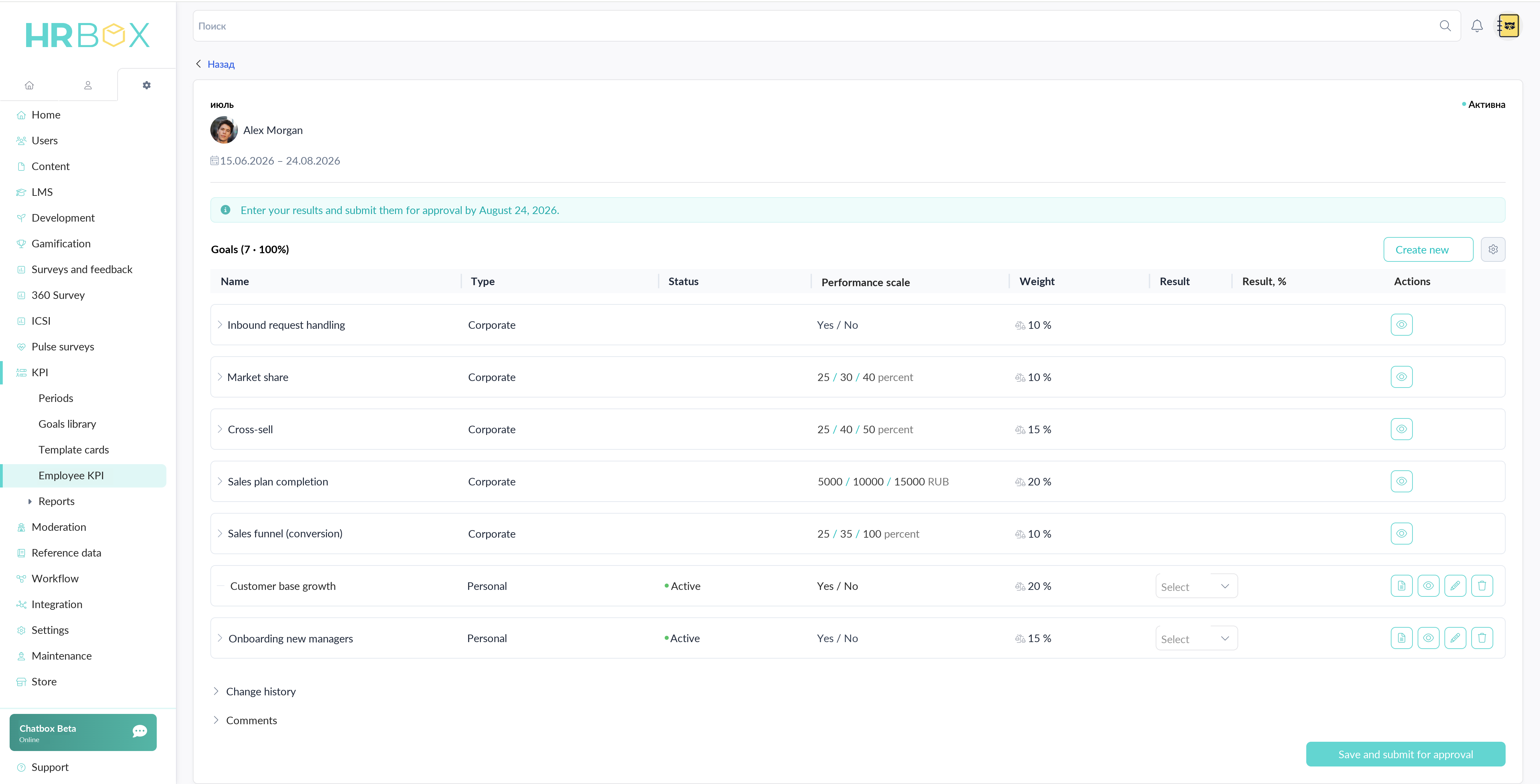
Current KPI card with demo data. The proposal concerns the period logic around this card.
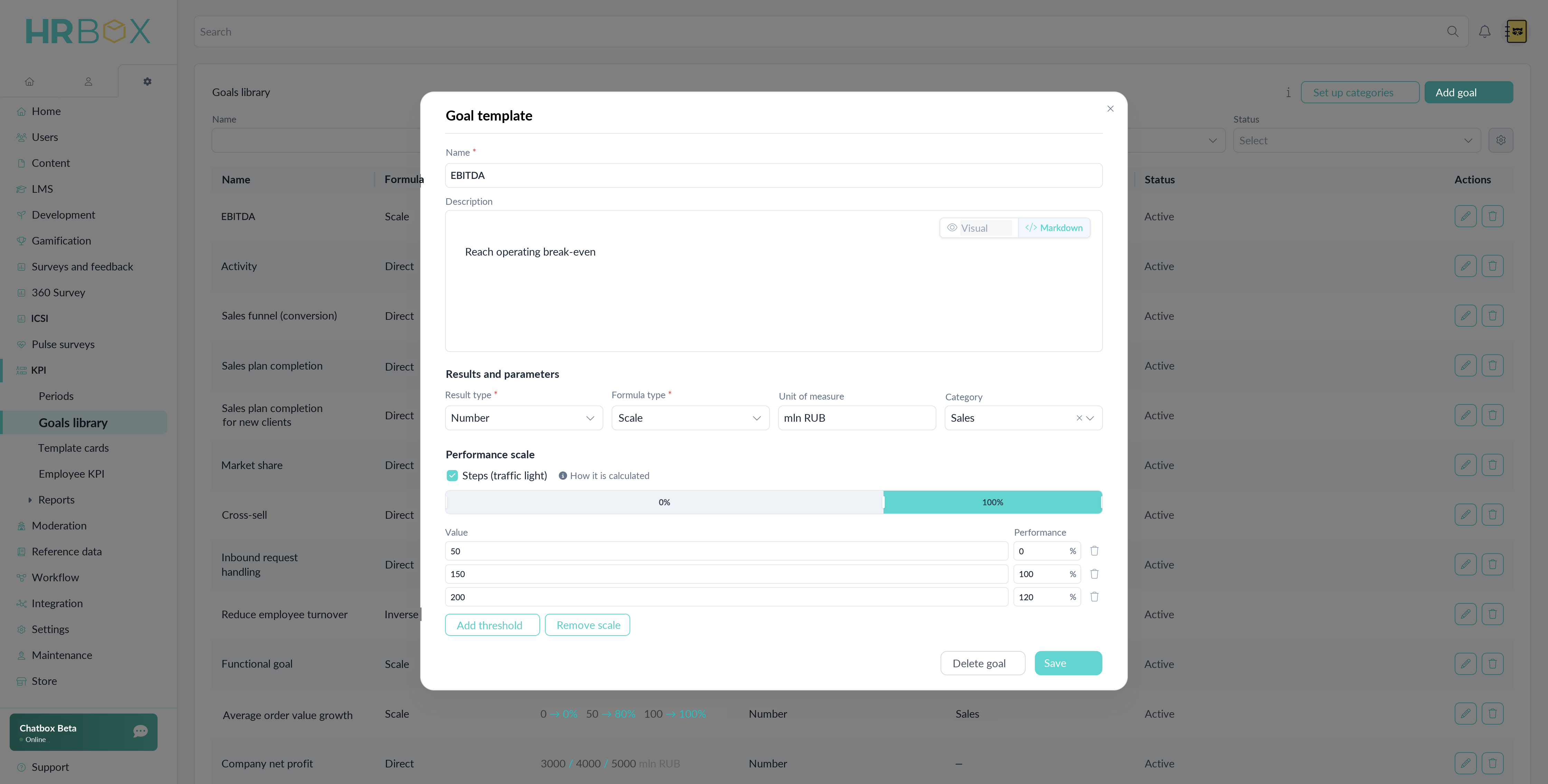
Goal library · A reusable template combines measurement units, formula type and a performance scale.
The admin panel holds 8 major modules with submodules up to 3 levels deep. So that a new administrator does not get lost, a 12-step onboarding walks them through the key settings, and the full architecture map opens via an ‘Expand all’ toggle.
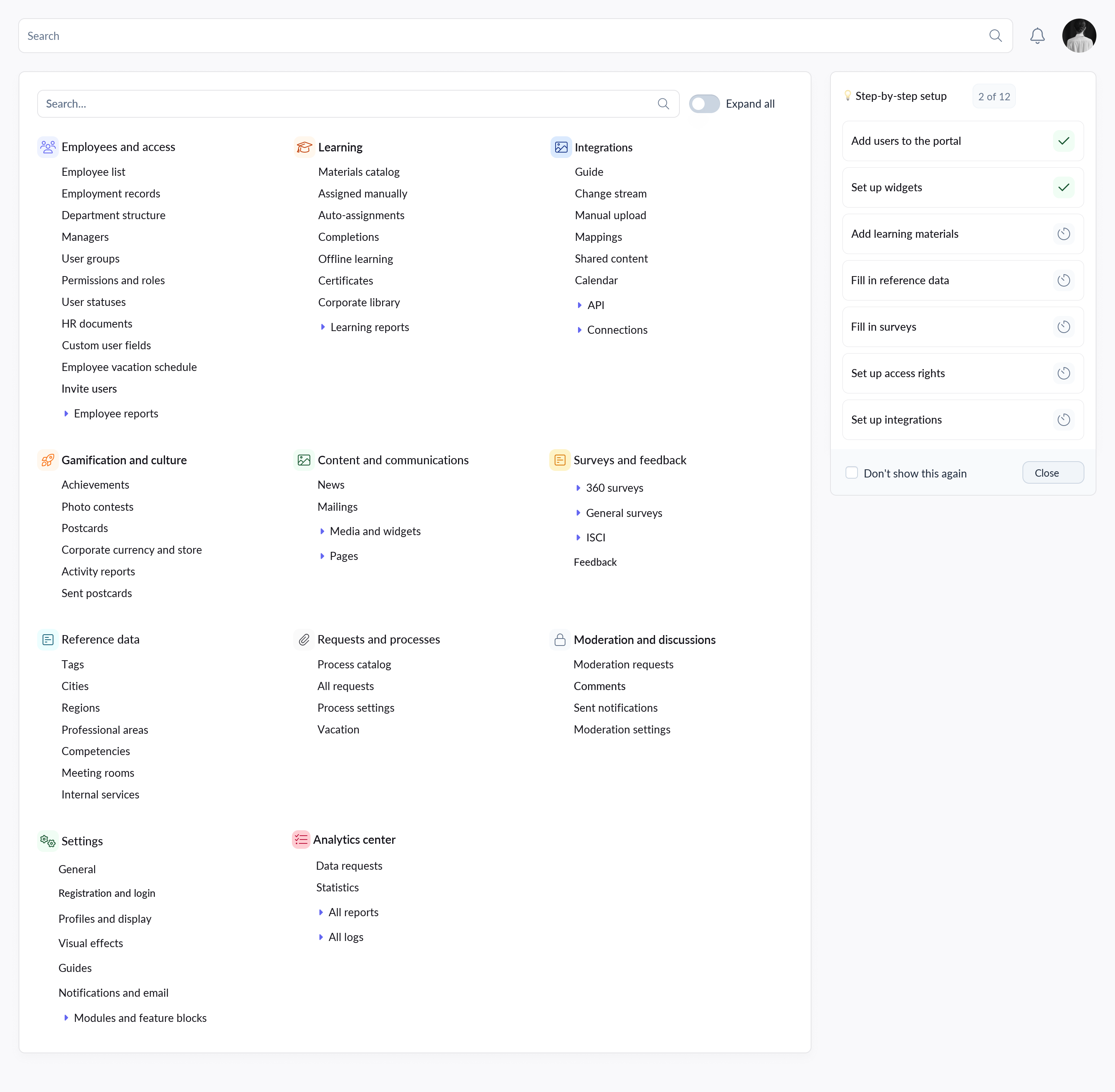 Architecture
A development track is more than a course. It combines employee and mentor tasks, learning, checklists, surveys and meetings into one scenario.
Administrators need to assemble a long program while understanding its sequence, ownership and completion logic. A flat list quickly becomes hard to scan and maintain.
I grouped activities into modules, kept their order visible and brought each step's settings into the same workspace. The administrator can review the full scenario without losing its structure.
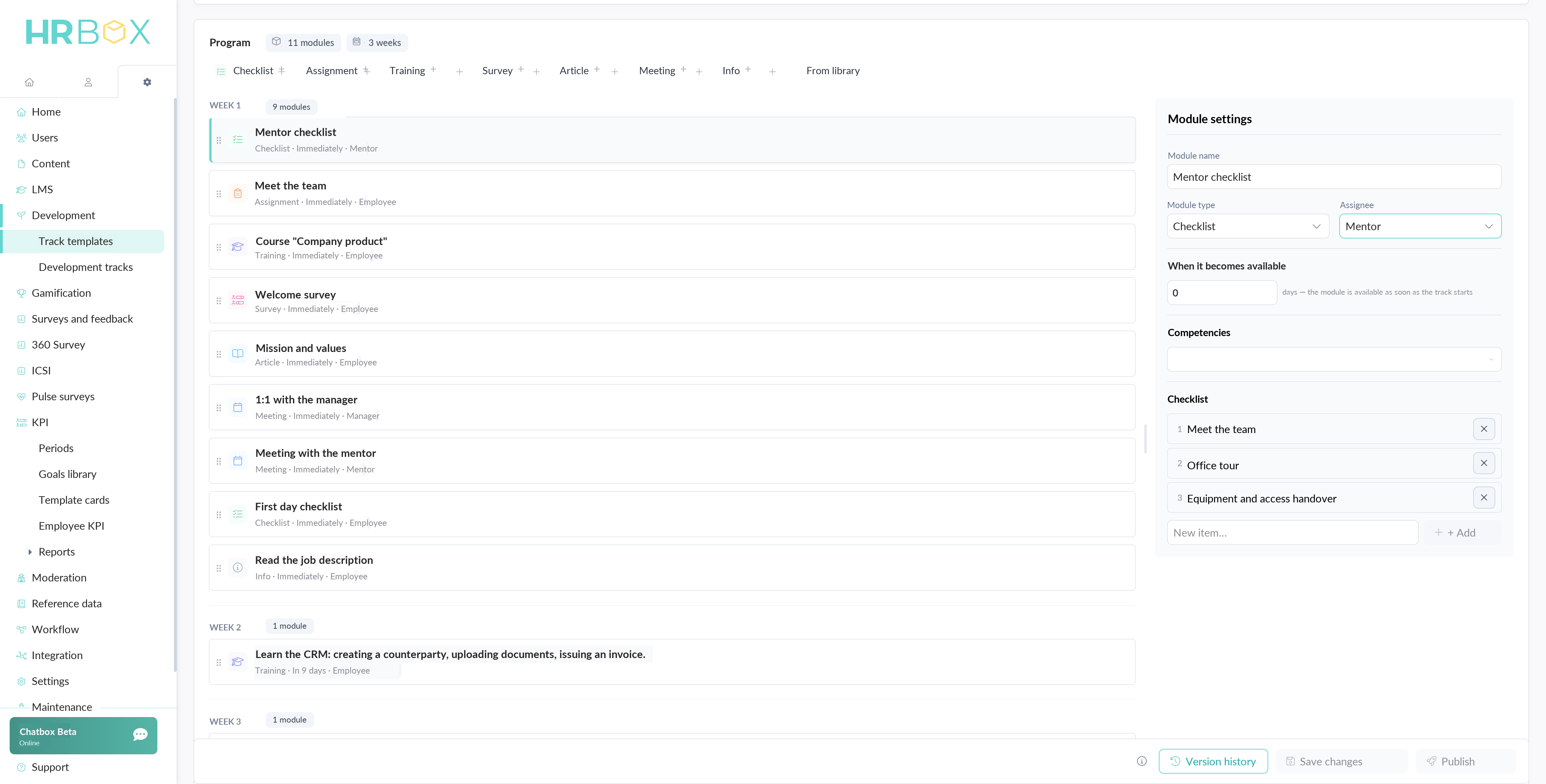 Development & onboarding
Shipped interface · I created the prototype from the requirements, incorporated product feedback and finalized the visual implementation in code before frontend review.
When the catalog moved to the new product, the legacy setup let administrators configure every category and page separately: text, image, text with image, large tiles, small tiles — and images of any proportion.
Product asked to carry the old options over as they were, so that clients would not have to redo their content. I argued for one display format and one image ratio. I lost that round: the catalog shipped with all the legacy variants.
Support kept receiving the same questions: which image format to use and how to switch display modes without breaking pages. With that evidence I brought the proposal back and it went through: one format, one image ratio. We presented it to clients as a feature — every image now looks consistent — and not a single client asked what they had to redraw. In production it cost us minimal changes, while clients got a simpler and more capable catalog.
The platform went from an MVP without systematic design to a structured ecosystem with a unified design system.
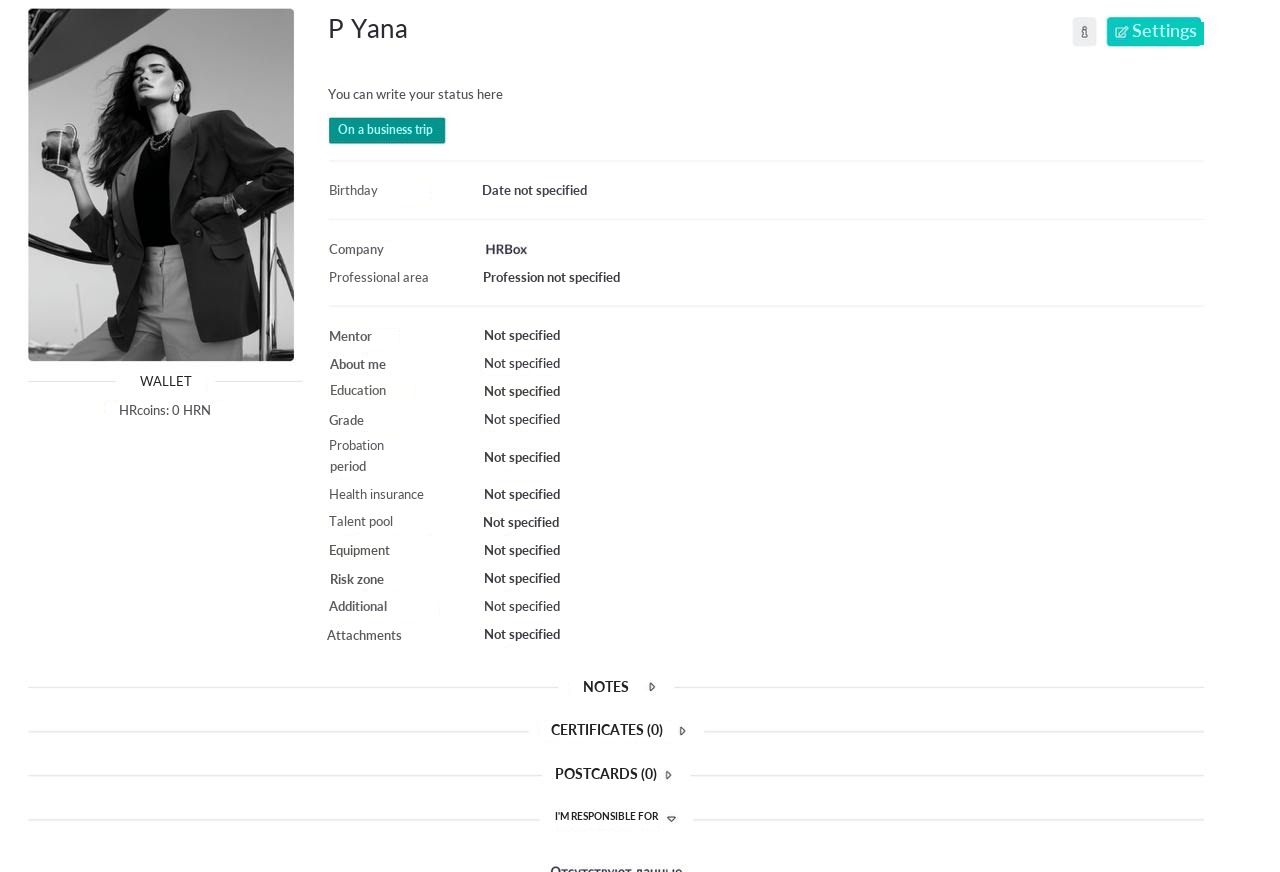
Different fonts, spacing and navigation patterns in every section. Frontend built UI by eye. New modules were added without shared rules.
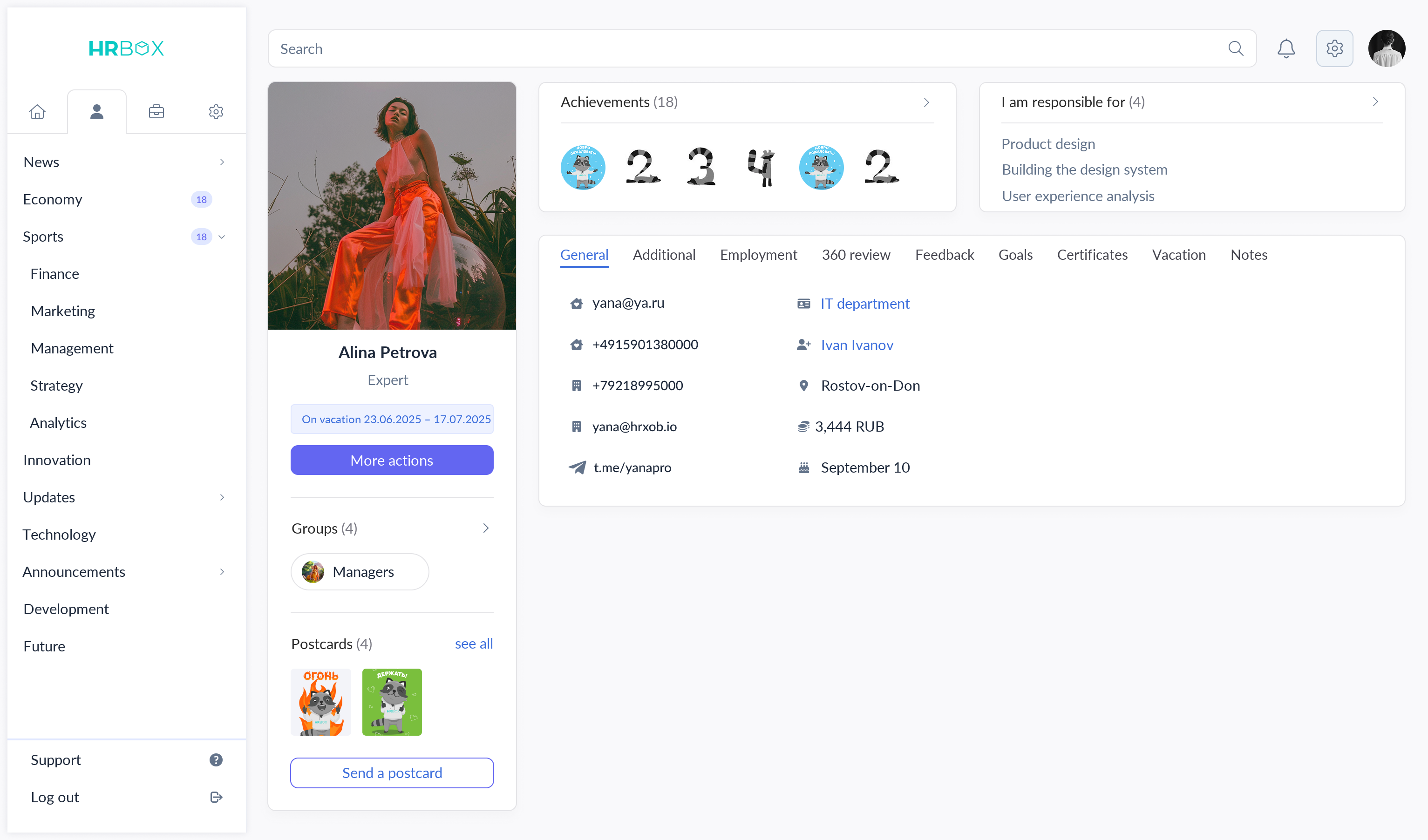
Unified typography, spacing and a component library. Each role has its own navigation but one visual language. Shared components provide a foundation for new modules.
Each role gets its own interface with fitting navigation and tools. Under the hood — a shared design system and unified patterns.
News, requests, training courses, corporate store with HRN currency, achievements, calendar.
Team structure, employee development and onboarding tracks, employee KPI, goals and OKRs, 360° reviews, feedback and reports.
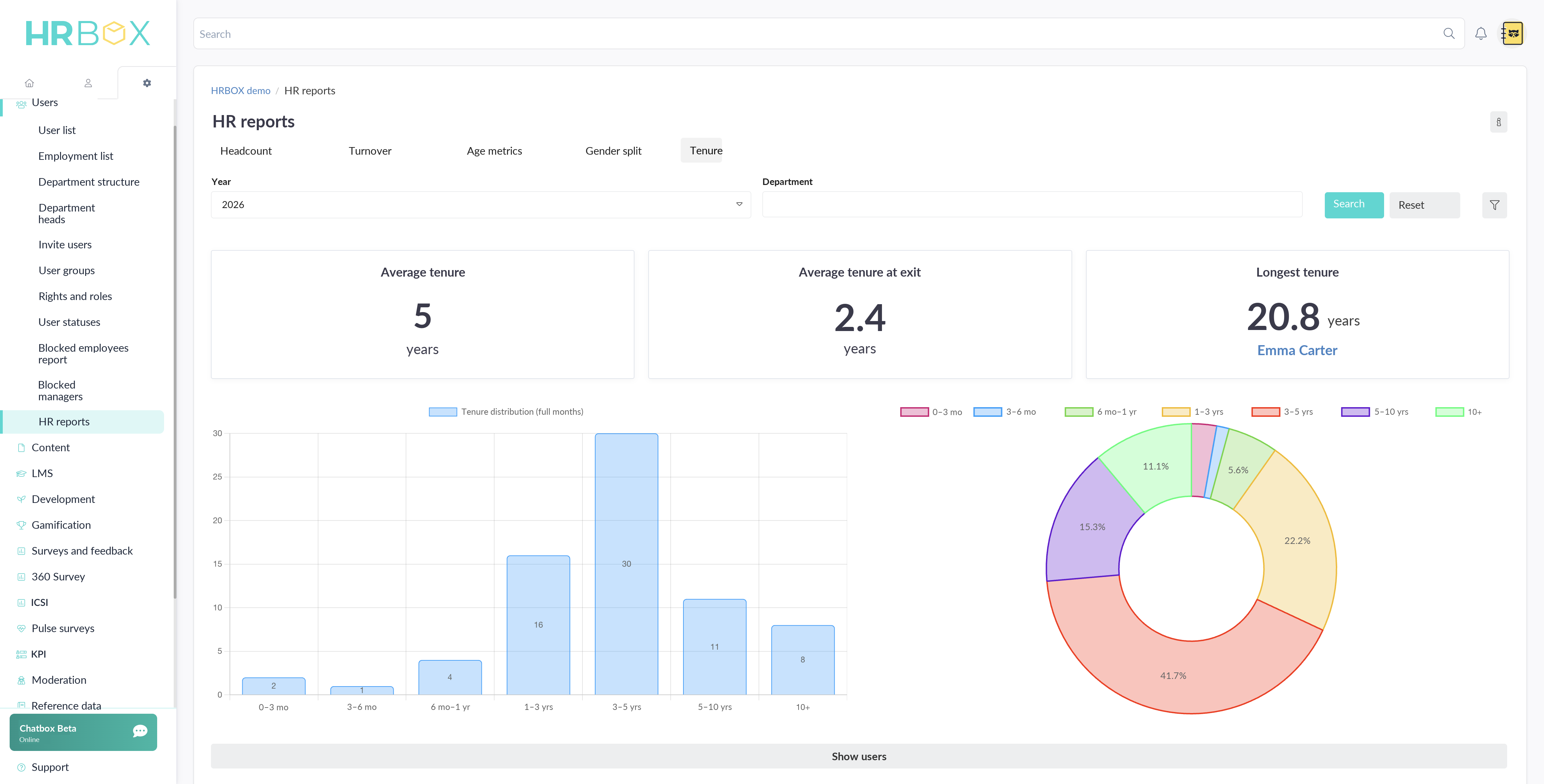
12+ modules: people management, employee KPI, training, surveys, HR e-document workflow, certificates and compliance, integrations and analytics.
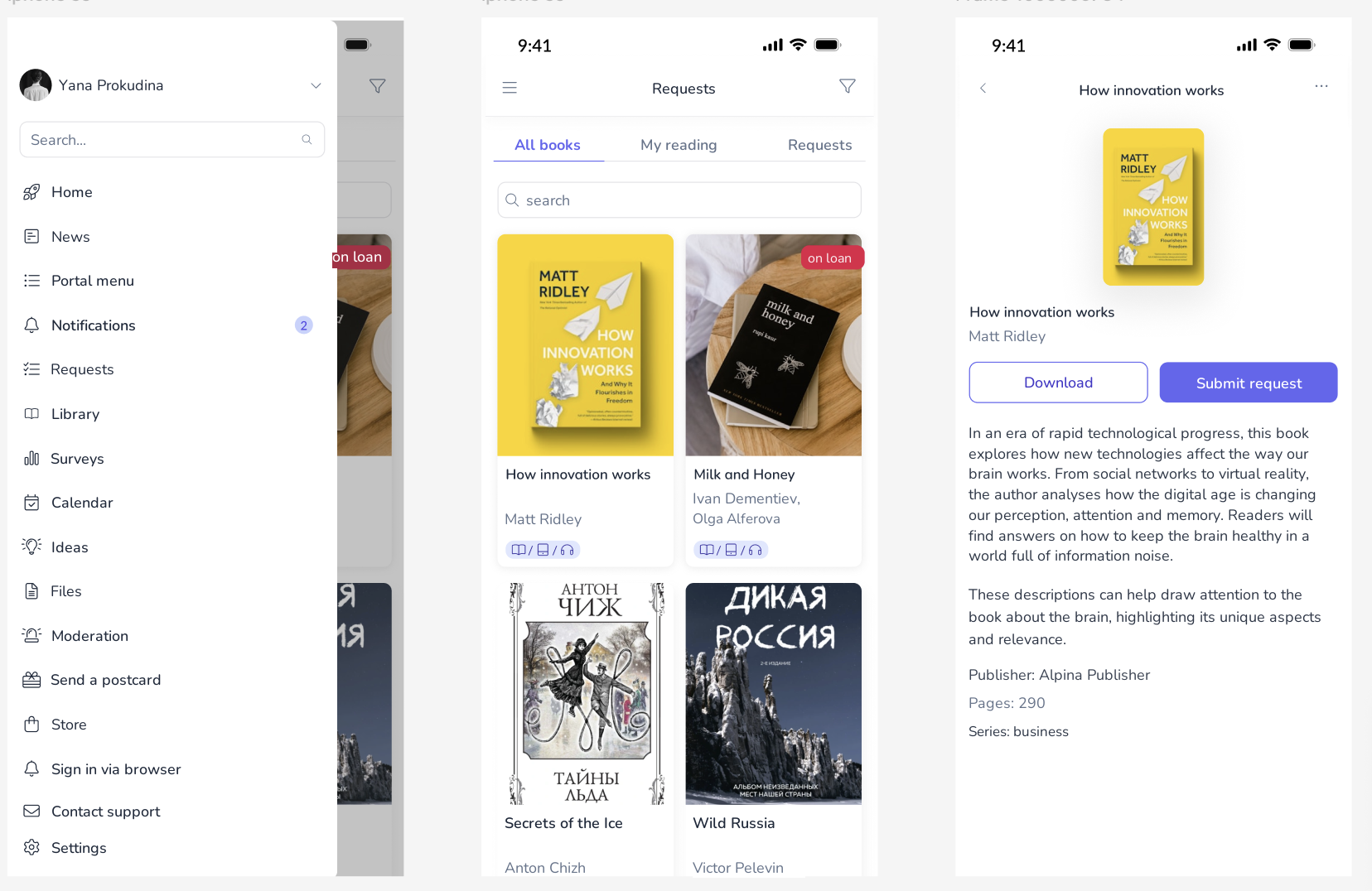
iOS / Android. QR login, news feed, library and book requests, calendar and push notifications.
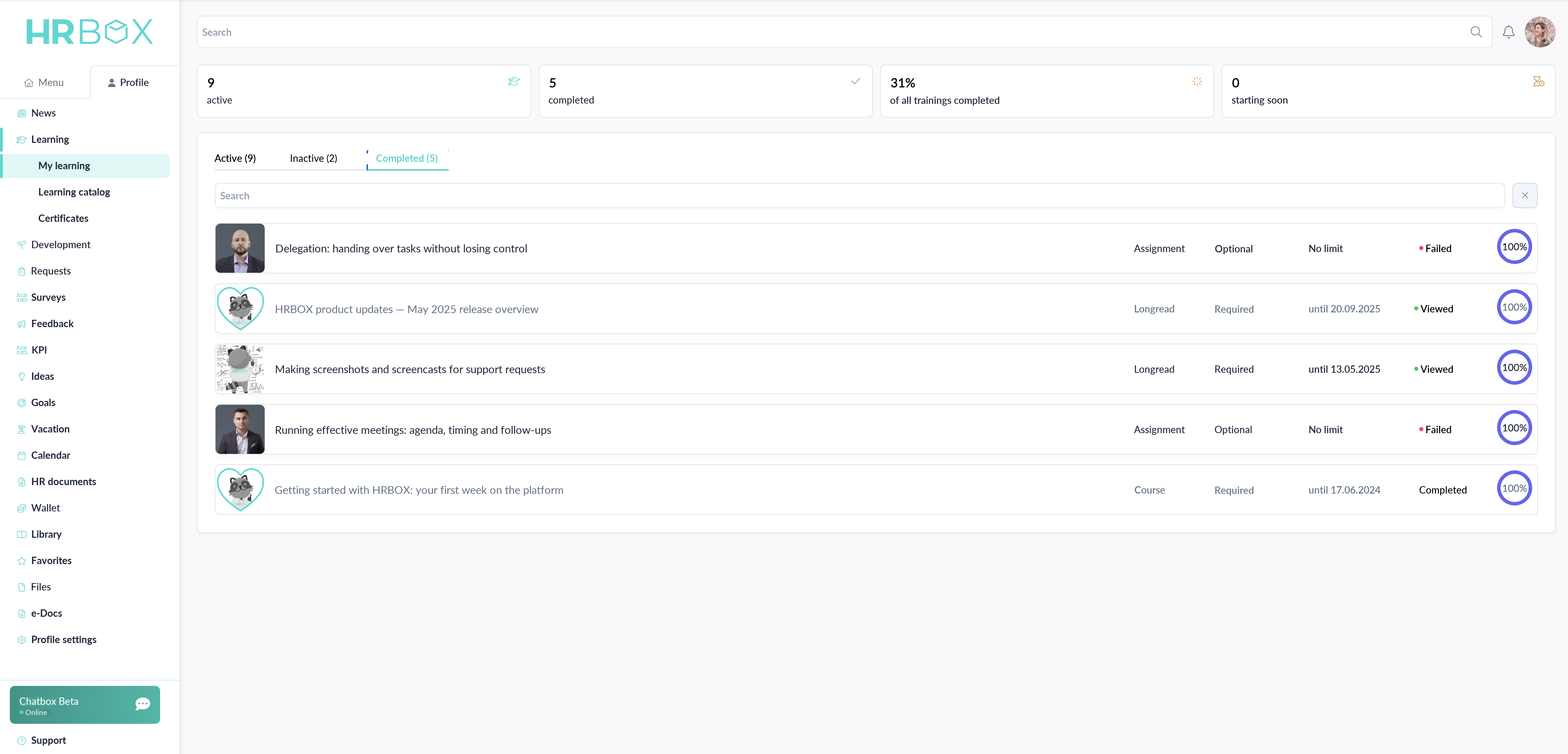
Summary metrics, Active / Completed / Inactive tabs, deadline statuses and progress indicators — on one screen.
iOS and Android. Login via domain or QR code. News feed, library catalog and book requests, calendar, reactions and comments.
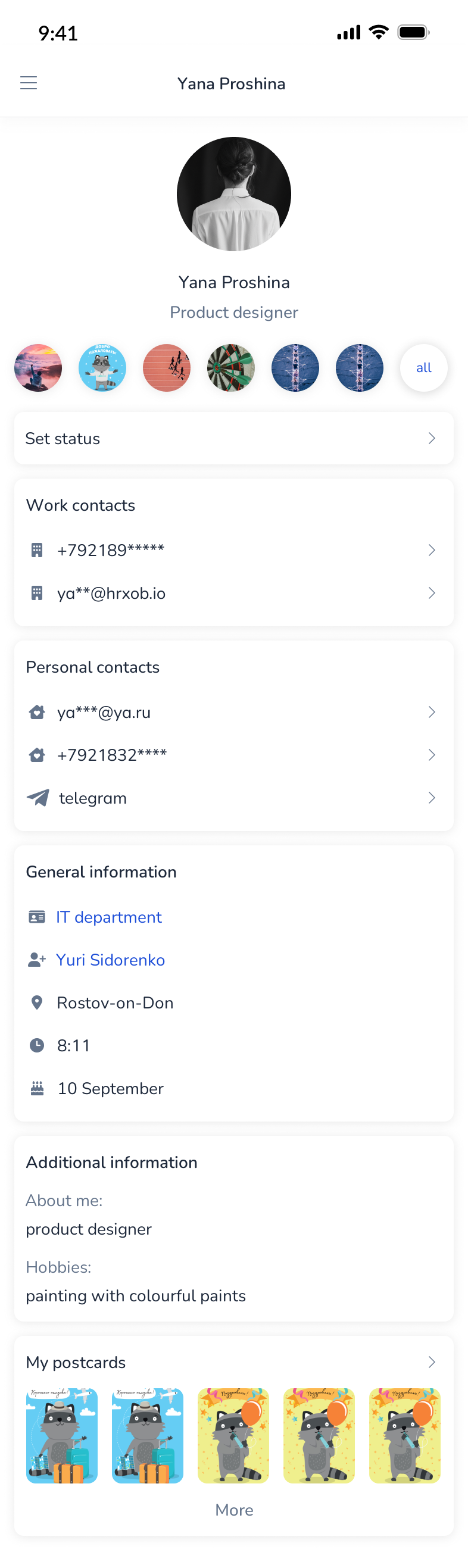
Contacts and personal data

Feed, widgets, activity
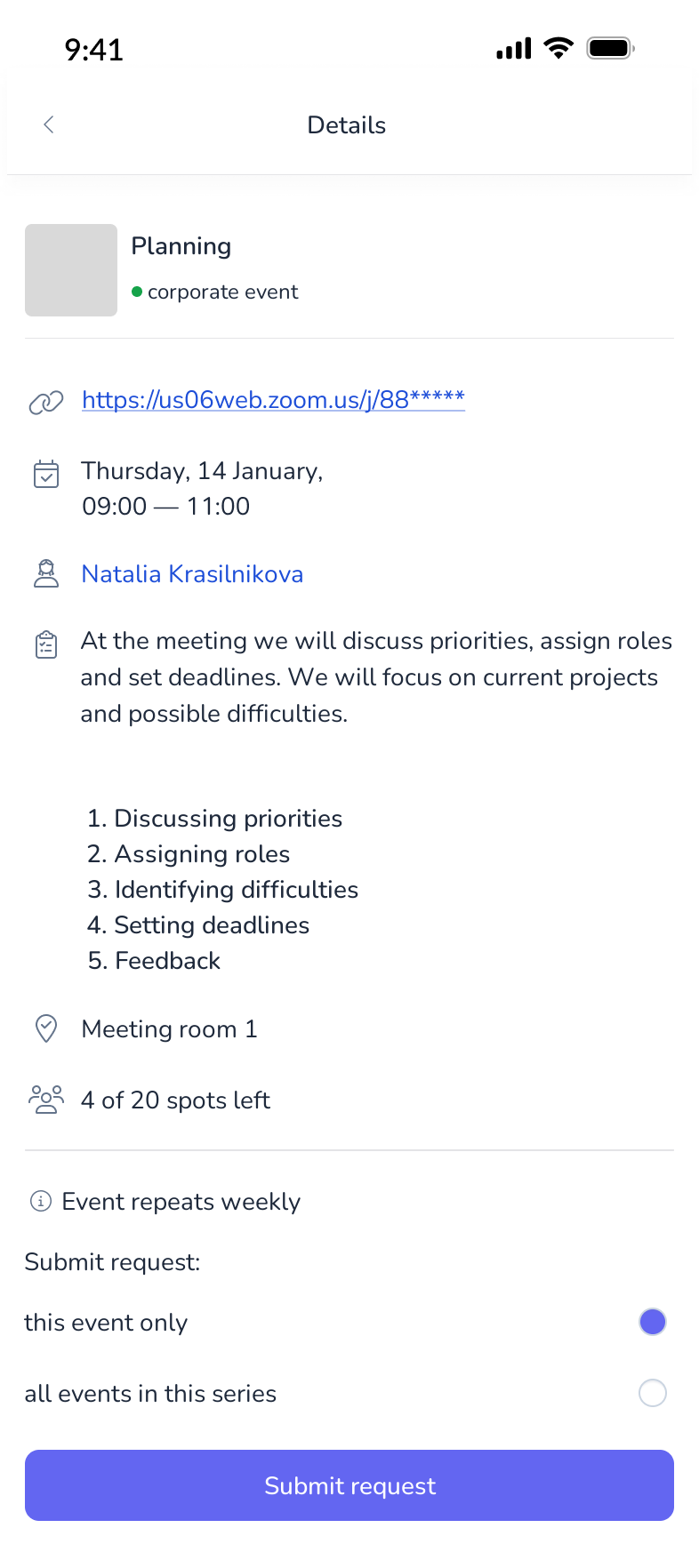
Event details and sign-up
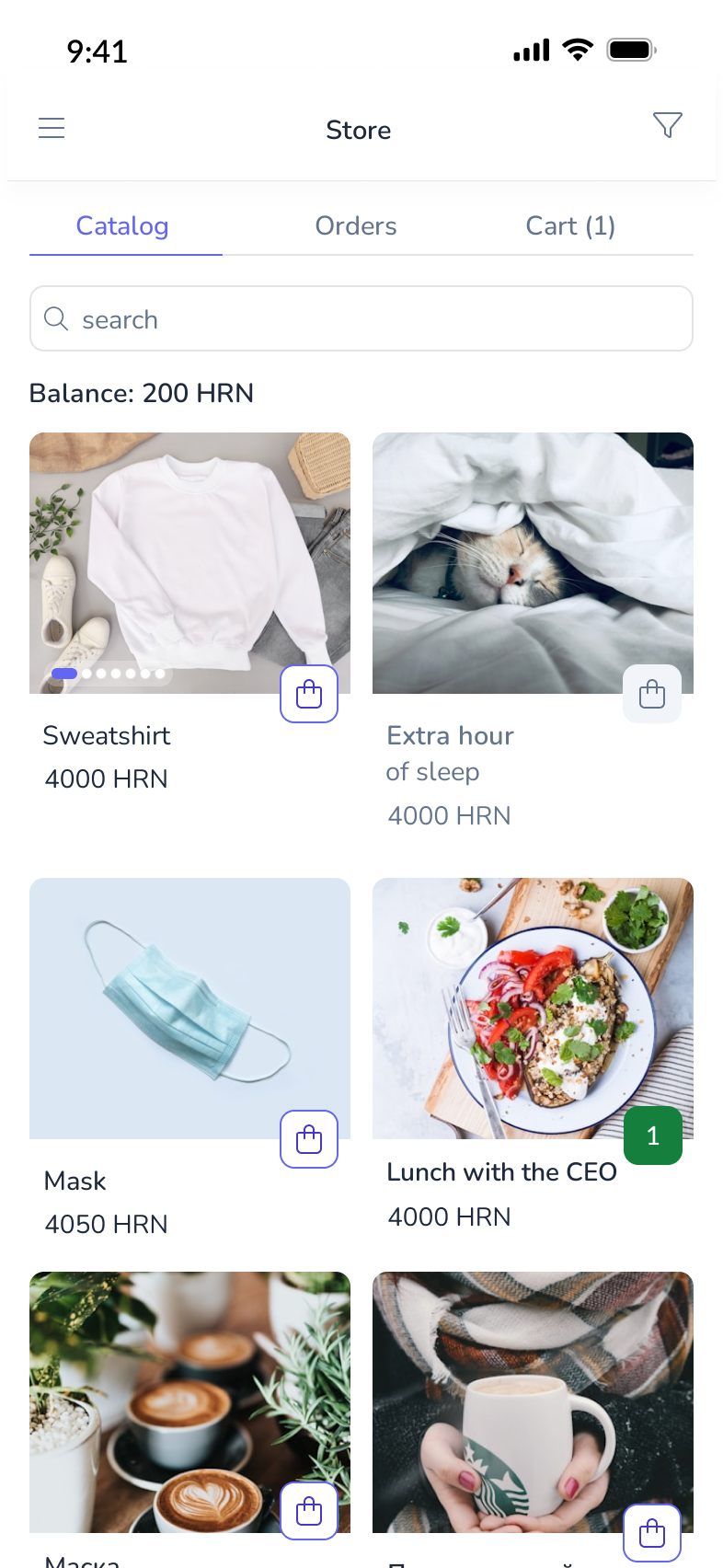
Catalog and ordering
Built from scratch. Tokens, components with all states, documentation for frontend and QA — plus a Storybook for the Vue component library that I set up and maintain myself, so design and code share one source of truth.
Indigo primary · Slate neutrals · Client-configurable colors
Talk to users from day one. When I joined, the stance was “we don’t need research — we are HR ourselves, we know what’s needed.” Over time the team and I came to the opposite: customer-development interviews with clients on the learning module became the norm, set the direction for the next iteration of the learning system — and became the starting point for Nanabush, a separate learning platform I now design.